There are no items in your cart
Add More
Add More
| Item Details | Price | ||
|---|---|---|---|

Ever built a machine learning model that works great in your notebook, but falls apart in production? We've all been there! The path from prototype to production can be messy—full of untracked datasets, ever-changing hyperparameters, and tangled script folders. That’s where Kedro steps in.
Kedro is an open-source Python framework designed to bring order to the chaos of experimental data science and machine learning workflows. By applying software engineering principles—like modularity, maintainability, and reproducibility—Kedro makes building, iterating, and deploying ML pipelines a breeze.
Kedro lets you design, build, and run modular data pipelines using:
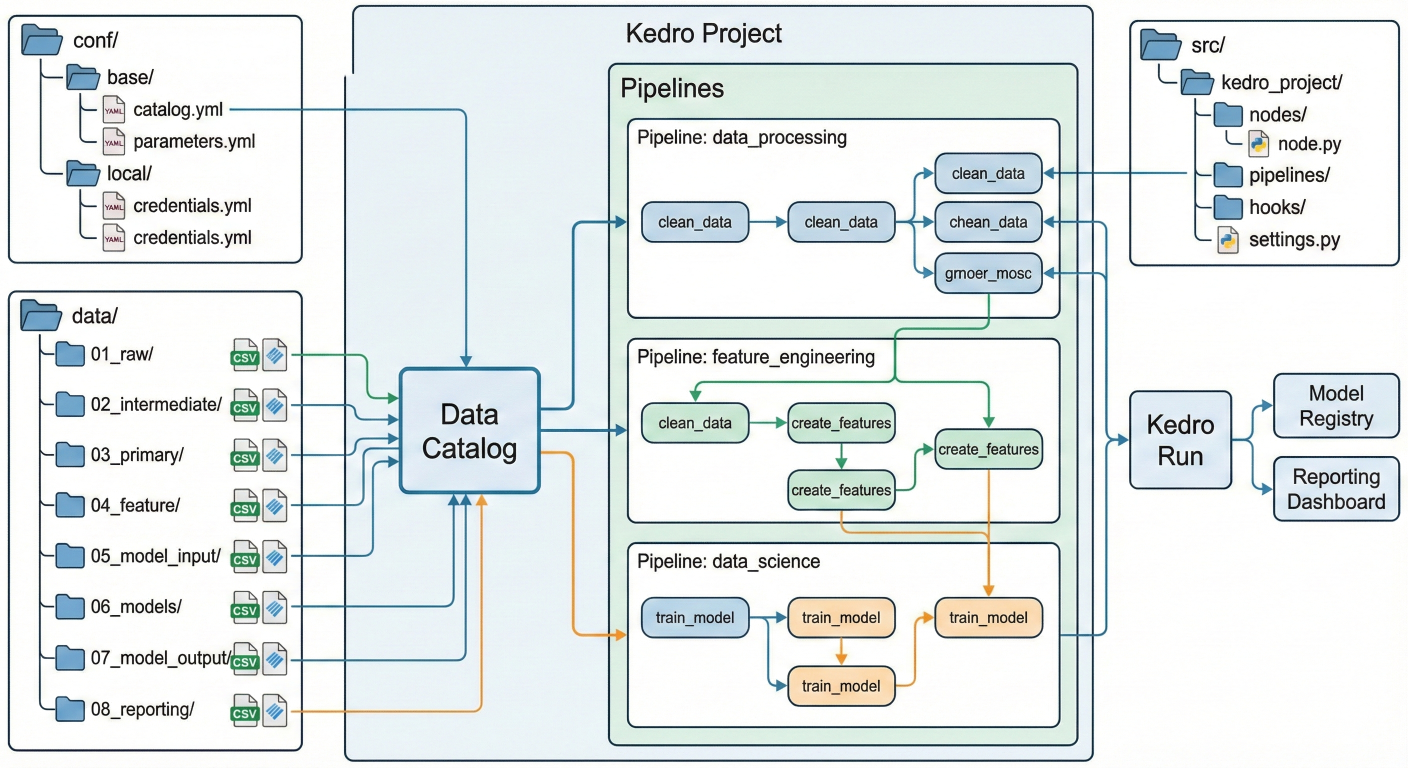
Architecture diagram showing Kedro project: nodes, pipelines, data catalog, configuration folders, data folders, etc.
A typical Kedro project looks like this:
This means every aspect of your workflow is versioned, reproducible, and easy to audit.
Let’s walk through a typical Kedro workflow:
You define all inputs, outputs, and parameters in YAML config files, so everything’s centralized.
conf/base/catalog.yml example:
input_data:
  type: pandas.CSVDataSet
  filepath: data/01_raw/iris.csv

processed_data:
  type: pandas.CSVDataSet
  filepath: data/03_primary/iris_processed.csv
Parameters in conf/base/parameters.yml:
input_param:
  n_rows: 100
Each node is a pure Python function—just input data and output transformed data.
Example node:
def preprocess_data(df):
    # Basic cleaning: remove nulls, scale features, etc.
    df_clean = df.dropna()
    # ...more processing
    return df_clean
Organize your functions into nodes that Kedro can sequence.
from kedro.pipeline import node

node(
    func=preprocess_data,
    inputs="input_data",
    outputs="processed_data",
    name="preprocess_data_node"
)
Combine your nodes in the order they should run.
from kedro.pipeline import Pipeline

pipeline = Pipeline([
    node1,
    node2,
    node3
])
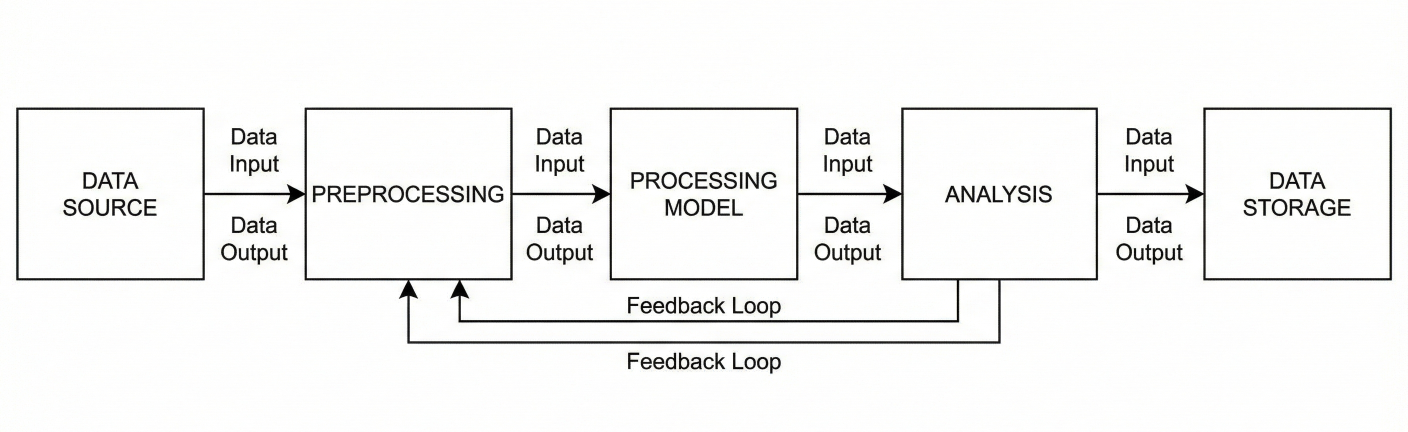
Block diagram showing a pipeline: nodes connected together by data outputs/inputs
With your pipeline defined, launching it is as simple as:
kedro run
Kedro reads your configs, loads your data, runs each node in order, and saves outputs— automatically tracking the full workflow.
Let’s say we’re tackling sentiment analysis with IMDB reviews. Here’s how Kedro helps:
Each step is a node. Nodes are connected into pipelines (e.g., data engineering → data science → evaluation).

Example block diagram of IMDB sentiment classifier pipeline: raw data → cleaning → feature engineering → model training → evaluation
Kedro’s plugin system enables seamless integration with:
You can even switch between dev and prod environments with zero code change, thanks to environment-specific YAML configs.
| Feature | Kedro | MLflow | Kubeflow | ZenML | Metaflow |
| Language | Python | Python, R | Python | Python | Python, R |
| Pipeline | Modular, clean, reusable | Loose, experiment logs | Kubernetesnative DAGs | Stack-based | DAGs |
| Community | Large, growing | Mature | Large, cloud-native | Small | Active |
| Use Case | Complex, collaborative | Experiment mgmt | End-to-end ML on k8s | Flexible | Simple, prod focus |
| Intergrations | Many via plugins | Model registry, REST | TensorFLow, notebooks | 3rd-party | UI/Metrics track |
Kedro shines in modularity and maintainability—ideal for data teams that value reproducibility and clean code for production deployment.
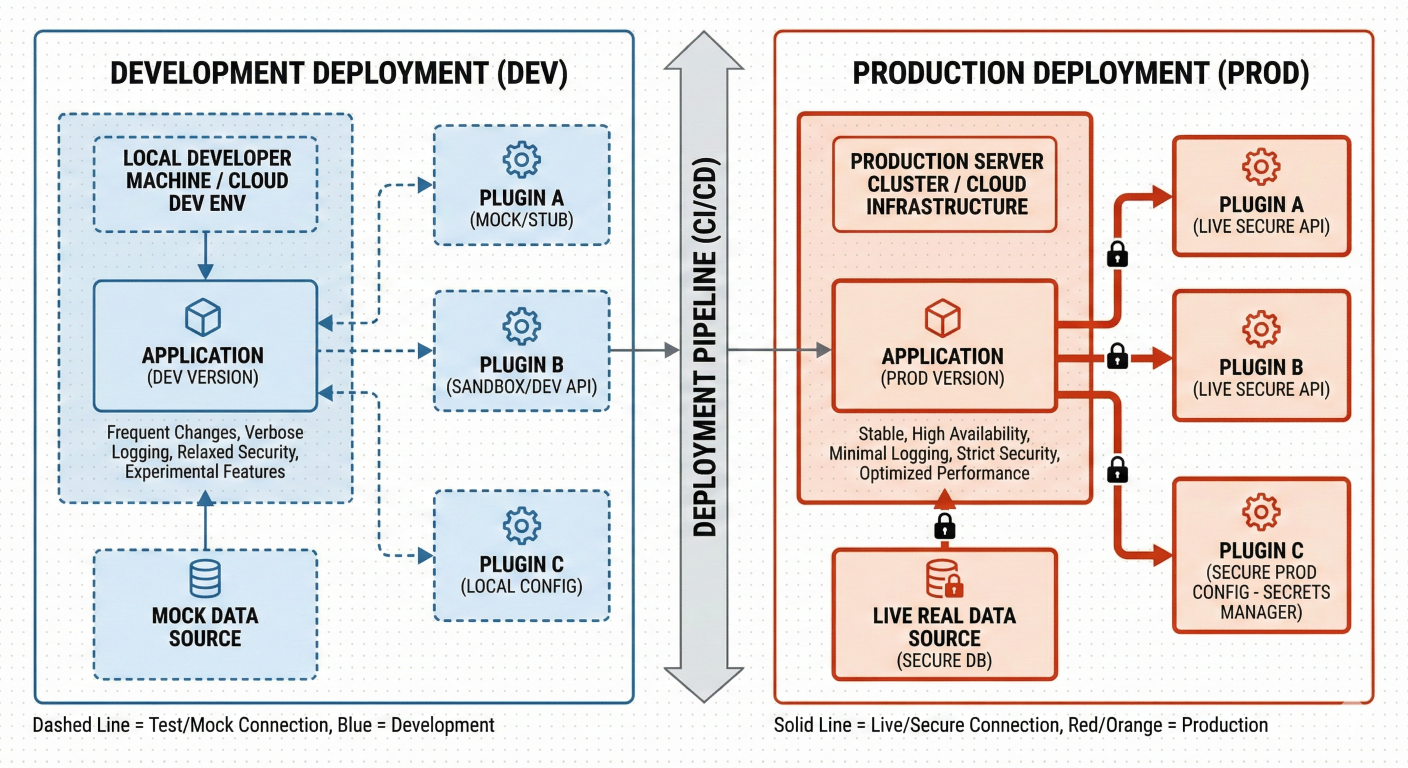
Block diagram showing dev vs prod deployment, plugin integrations
Kedro isn’t just another workflow tool—it’s the organizational backbone your ML projects need. If you're tired of messy notebooks and want best practices baked in, start with Kedro. You’ll be building robust, reproducible, and scalable data science pipelines in no time!
Ready to level up your MLOps workflow? Try integrating Kedro with MLflow or visualize your first pipeline with Kedro-Viz. Or—enroll in an online course and turbocharge your data science skills.

SaratahKumar C
 Launch your Graphy